











Mobile betting has become a convenient way to place wagers and play casino games in Nigeria. The Easywin app brings the platform to an Android device, allowing you to browse football markets, access live events, explore slots, and manage your account without relying on a desktop computer. It can be useful at home or while travelling, provided you have a stable connection and comply with the applicable rules.
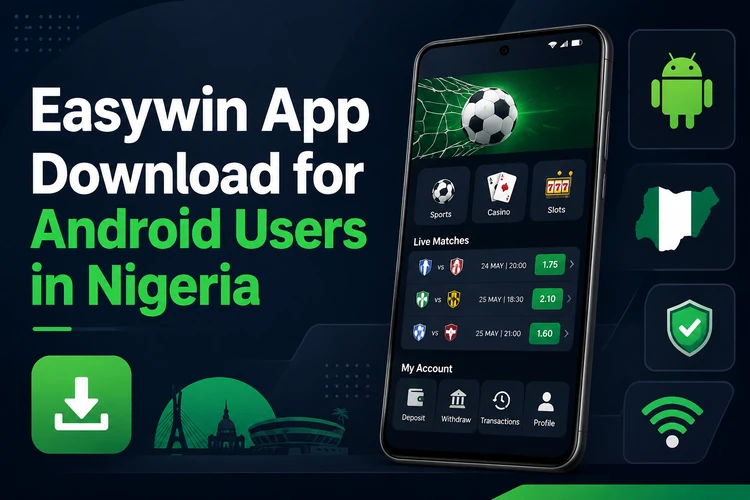
This guide explains how to obtain the APK from the official website, install it, log in, and use the main sportsbook and casino tools. It also covers the Lite version, connection requirements, updates, and practical checks to make before placing a bet.
Easywin Mobile App Overview
The Easywin app is designed for Nigerian players who want access to betting markets and casino games from a smaller screen. Its layout is adapted for touch controls, with key areas such as sports, live betting, casino, bet history, and account settings easy to reach. The home screen may show featured events, popular games, and account information, while the exact layout can change after an update.
Markets and event information depend on the service and your connection. Before confirming a wager, open the relevant event and check the selections, odds, stake, and possible return shown on the bet slip. You can use single bets or accumulators where offered. Account tools may also let you review unsettled wagers, settled results, deposits, and withdrawals; payment processing is subject to the available methods and account checks.
Easywin App Download
Android users generally receive the application as an APK file from the official Easywin website. Open the site in a mobile browser and use the app or mobile download area shown there. Check that the page is the genuine site before downloading, and avoid files shared through unsolicited messages, unofficial download pages, or unknown file-hosting services.
The file is saved in the phone's Downloads folder. Its size and download time can vary, so keep enough storage free and use a reliable Wi-Fi or mobile-data connection. A safe download checklist is simple:
- Use the official website rather than a third-party APK directory.
- Check the file name and download source before opening it.
- Keep Android security tools active and cancel files that trigger an unexpected warning.
- Delete an old installer after the app has been installed if storage is limited.
- Download a fresh copy when an update is required instead of keeping several old files.
Android Installation Guide
Android may block an APK until permission is granted to the browser or file manager that opened it. The wording differs between Android versions. Only allow this permission for a file you obtained from a trusted source, and turn it off again afterwards if you do not regularly install APK files.
- Step 1: Open Settings and look for Security, Privacy, or Apps, depending on your Android version.
- Step 2: Find Install Unknown Apps or the equivalent setting and allow it for your browser or file manager.
- Step 3: Open Downloads and tap the Easywin APK file.
- Step 4: Review the installation prompt and tap Install. Wait for the process to finish.
- Step 5: Tap Open or find the Easywin icon on the home screen.
- Step 6: Log in with your existing credentials or create an account if registration is available to you.
If installation fails, check available storage, remove a damaged partial download, and download the file again from the official source. An incompatible Android version or an outdated installer can also cause an error. Do not install a file that asks for unrelated permissions or behaves differently from the expected application.
Easywin Lite
Easywin Lite is intended for devices with limited storage, slower connections, or modest hardware. It uses a simpler interface and lighter visual elements, which can reduce loading demands. The standard and Lite versions may not have identical screens, so check the official mobile area for the version currently supported.
A lightweight app can be helpful when a phone has little free space or when mobile data is expensive. It does not remove the need for a stable connection when viewing live content, and it cannot improve a weak network signal. If the standard app becomes slow, close unused applications, clear unnecessary files, and compare performance after restarting the phone.
Easywin Login
Open the installed application and select the login control. Enter the phone number or email connected to your account and the correct password, then check that the details are entered without extra spaces. If the recovery option is available, use it to reset a forgotten password through the contact method registered on the account.
Use a private device where possible, avoid saving credentials on a shared phone, and never send your password to another person. A secure screen lock and an up-to-date Android system provide additional protection. If you notice an unfamiliar transaction or account change, stop using the account and contact the operator through its official support channel. Age and local eligibility requirements apply; gambling should be for adults only.
Sports Betting Features
The sportsbook can include football competitions from Nigeria and other regions, subject to the markets available at the time. Common options include match result, over or under goals, both teams to score, handicaps, and selected player or match statistics. Open an event to read the market rules, because settlement conditions can differ between bet types.
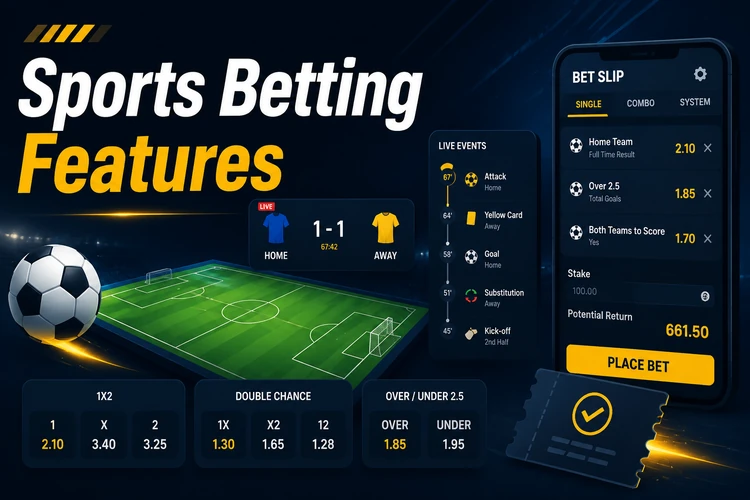
Choose a selection to add it to the bet slip, enter a stake, and review the displayed odds and possible return before confirming. Live betting uses events that are already in progress, so odds can change quickly or a market can suspend during an important moment. The bet history area shows pending and settled wagers, while the details view can display selections, stake, odds, and settlement information. Never treat a changing live price as a promise of profit.
Casino Games
The casino area may include slots, table games, live dealer rooms, and virtual titles. Slots can differ in theme, volatility, features, and stake range. Read the individual game information where available and check the currency, minimum stake, and any bonus-round conditions before playing.

Available titles can include Aviator-style crash games, live roulette, blackjack, baccarat, virtual football, horse racing, and other simulated events. Live dealer games require more data than basic slots because they use video. Results are not guaranteed, and casino play should be treated as paid entertainment rather than a way to recover losses. Set a budget before playing and stop when that limit is reached.
Mobile Performance
Performance depends on the Android version, available memory, storage, battery condition, and network quality. A newer phone will usually handle transitions and live content more comfortably, while an older device may need unused applications closed before a session. Keep several hundred megabytes of free storage for temporary files and future updates.
The app can use Wi-Fi or mobile data. Basic odds and bet-slip functions need less bandwidth than live casino video, which is more demanding and may buffer on a weak connection. If pages do not load, switch networks, restart the app, and check whether an update is available. Install updates from the official source and review the release prompt before replacing the current version.
Before a longer session, check that the phone is not overheating and that notifications are configured as you want them. Avoid placing a bet while driving or when distracted. A clear connection helps, but it cannot prevent odds from changing or markets from being suspended.
Frequently Asked Questions
Open the official Easywin website on an Android phone, find the mobile app area, and tap its download control. The APK should appear in the Downloads folder. Enable installation permission for the browser only when Android requests it, then open the file and follow the installation prompts.
The application itself is free to download and install. Deposits are only needed for real-money betting or casino play, and any transaction terms should be checked in the account before use. A free download does not mean that wagers are free or risk-free.
When an update is available, use the notice in the app or return to the official website and download the current APK. Install it over the existing version if Android permits. Keep enough storage available and avoid deleting the existing app first unless the official instructions say to do so.
Open the app, select the login control, and enter the phone number or email and password linked to your account. If you forget the password, use the available recovery option. Do not share login details or use a public device that may retain them.
Open the account or bet history area and choose the relevant ticket. Pending and settled wagers are normally separated, with details such as selections, stake, odds, and settlement status shown when available. A live bet can change status only after the event and applicable settlement rules are processed.
Easywin Lite is a lighter mobile version intended for phones with less storage or limited hardware. It may use simpler graphics and less data, although available features and compatibility can change. Check the official mobile area for the currently supported version before installing it.